NCINM 4 User Manual
Reference documentation for radionuclide and radiopharmaceutical organ-dose calculations with NCINM 4.
NCINM 4
NCI Dosimetry System for Nuclear Medicine
Current documented release: October 2, 2026 (4.20261002) Current release type: Maintenance Update Latest scientific update: September 30, 2026
Introduction
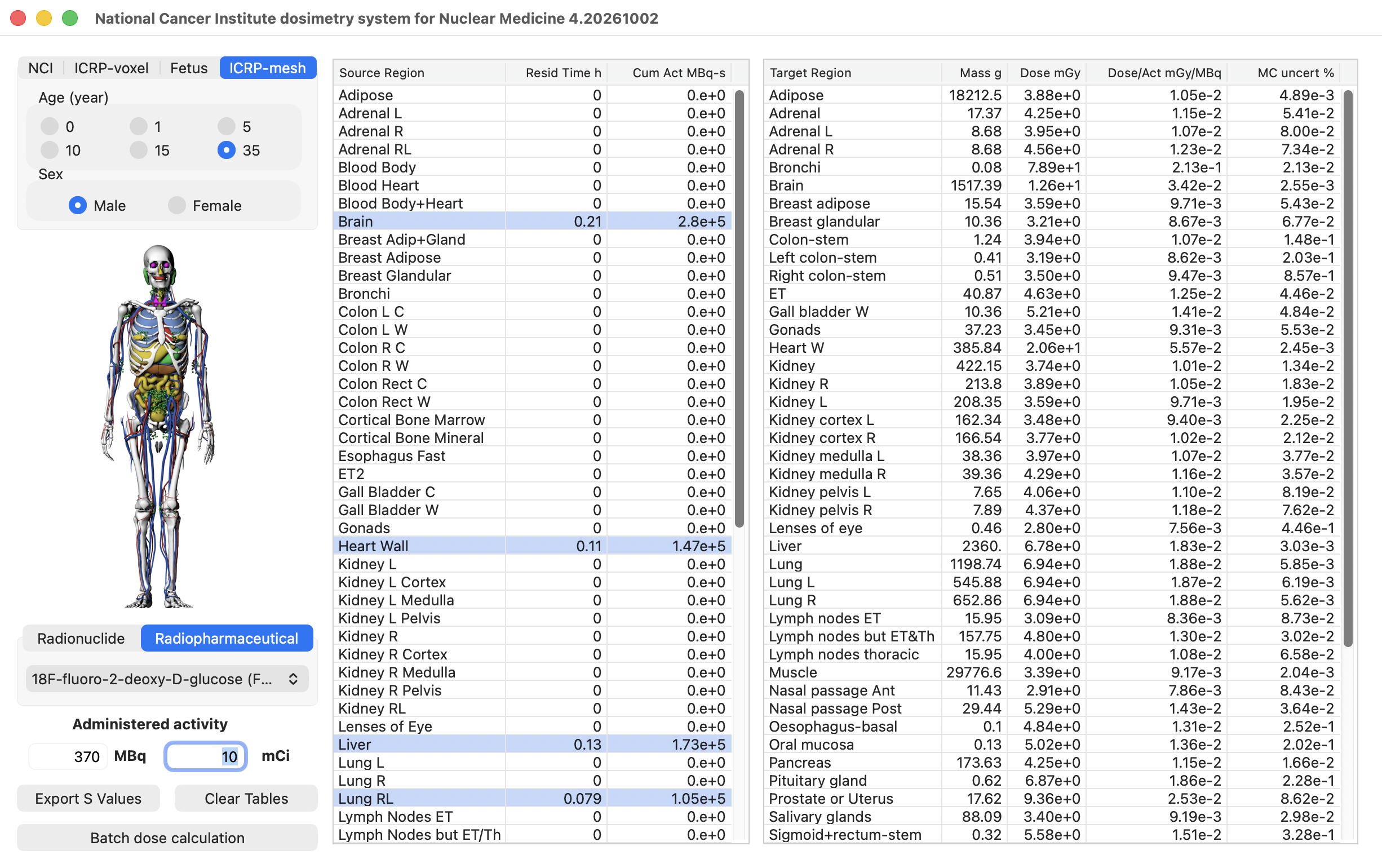
The National Cancer Institute Dosimetry System for Nuclear Medicine (NCINM) is a reference internal dosimetry program developed by the National Cancer Institute (NCI) for estimating organ absorbed doses and effective dose from nuclear medicine procedures.
NCINM4 uses pre-calculated S values and, when available, predefined biokinetic data to calculate organ doses for selected computational human phantoms. The current release includes NCI, ICRP voxel, ICRP mesh, and fetus phantom libraries, with mother-to-fetus S values for fetal dose calculations. It supports population-based dose evaluation, benchmarking, and research workflows. It is not intended for patient-specific clinical decision support.
Calculation Workflow
| Step | Description |
|---|---|
| 1 | Select the phantom library and available phantom characteristics |
| 2 | Select a radionuclide or radiopharmaceutical, depending on the selected phantom library |
| 3 | Enter administered activity |
| 4 | Review or edit the source-region table |
| 5 | Review the target-organ dose output table |
| 6 | Optionally select source-region rows and click Export S Values |
| 7 | Optionally run multiple NCI, ICRP voxel, or ICRP mesh radiopharmaceutical cases through Batch Manager |
Numeric fields accept either dot or comma decimal notation regardless of the operating-system regional setting.
1. Phantom Selection
NCINM4 supports four phantom libraries:
- NCI phantoms
- ICRP voxel phantoms
- Fetus phantoms
- ICRP mesh phantoms
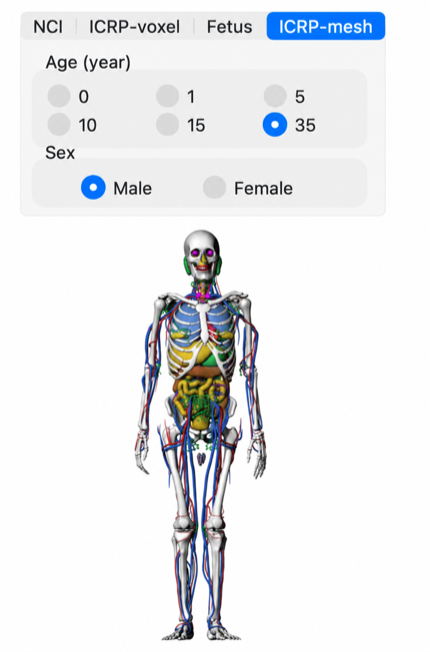
NCINM4 opens with the ICRP mesh adult male phantom selected. Change the library, sex, or age before calculation when a different reference phantom is needed.
Each library has its own tab. Select the desired phantom library first, then choose the available phantom characteristics for that library.
For NCI, ICRP voxel, and ICRP mesh phantoms, select sex and age. The age radio-button captions are:
- 0
- 1
- 5
- 10
- 15
- 35
The 35-year selection corresponds to the adult phantom.
The ICRP mesh library provides mesh-based organ dose estimates and displays Monte Carlo uncertainty percentages. Its urinary-bladder target represents the basal-cell layer; the ICRP voxel library retains the urinary-bladder-wall target.
For fetus phantoms, select gestational age:
- 8 weeks
- 10 weeks
- 15 weeks
- 20 weeks
- 25 weeks
- 30 weeks
- 35 weeks
- 38 weeks
Fetus calculations represent maternal source regions irradiating fetal target organs using mother-to-fetus S values.
The phantom display updates automatically when the phantom library, sex, or age selection is changed.
2. Radionuclides And Radiopharmaceuticals
NCINM4 provides two calculation pathways.
2.1 Radionuclide Tab
Use the Radionuclide tab when source-region residence times or cumulated activities are known and will be entered manually.
Select the radionuclide from the popup menu, then enter source-region residence times or cumulated activities in the source-region table.
The radionuclide library contains 1070 radionuclides with photon and/or electron emissions based on ICRP Publication 107 radiation spectrum data.
For fetus phantom calculations, use this tab and enter maternal source-region data manually. In this mode, source regions correspond to maternal organs and target regions correspond to fetal organs.
2.2 Radiopharmaceutical Tab
Use the Radiopharmaceutical tab when predefined biokinetic data should be loaded automatically for NCI, ICRP voxel, or ICRP mesh phantom calculations.
When a radiopharmaceutical is selected, NCINM4 identifies the matching radionuclide from the leading radionuclide name in the radiopharmaceutical text and automatically loads the corresponding source-region residence-time data.
The current library contains 133 reviewed radiopharmaceutical biokinetic models. Predefined radiopharmaceutical calculations are available from age 1 through adulthood. They are unavailable for newborn phantoms; for newborn calculations, use the Radionuclide tab and enter source-region data manually. Earlier biokinetic versions extrapolated newborn values from infant data; newborn data are now marked unavailable to make this limitation explicit.
For fetus phantom calculations, this tab is intentionally blank because pregnancy-specific radiopharmaceutical biokinetic models are not currently defined.
3. Administered Activity
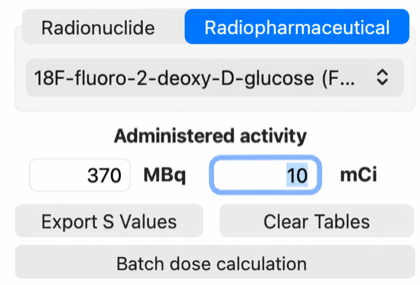
Administered activity can be entered in MBq or mCi. The two fields are linked:
- Entering MBq and pressing Enter updates mCi using
1 mCi = 37 MBq - Entering mCi and pressing Enter updates MBq
The default activity is:
| Unit | Default |
|---|---|
| MBq | 3700 |
| mCi | 100 |
The example below shows an entered activity of 370 MBq (10 mCi).
4. Source-Region Biokinetic Data
The source-region table has column headers:
| Column | Purpose |
|---|---|
| Source Region | Source organ or region |
| Resid Time h | Residence time in hours |
| Cum Act MBq-s | Cumulated activity in MBq-s |
The first column is labeled Source Region for NCI and ICRP phantoms. On the Fetus tab, it changes to Maternal Source region to identify the source regions as maternal anatomy.
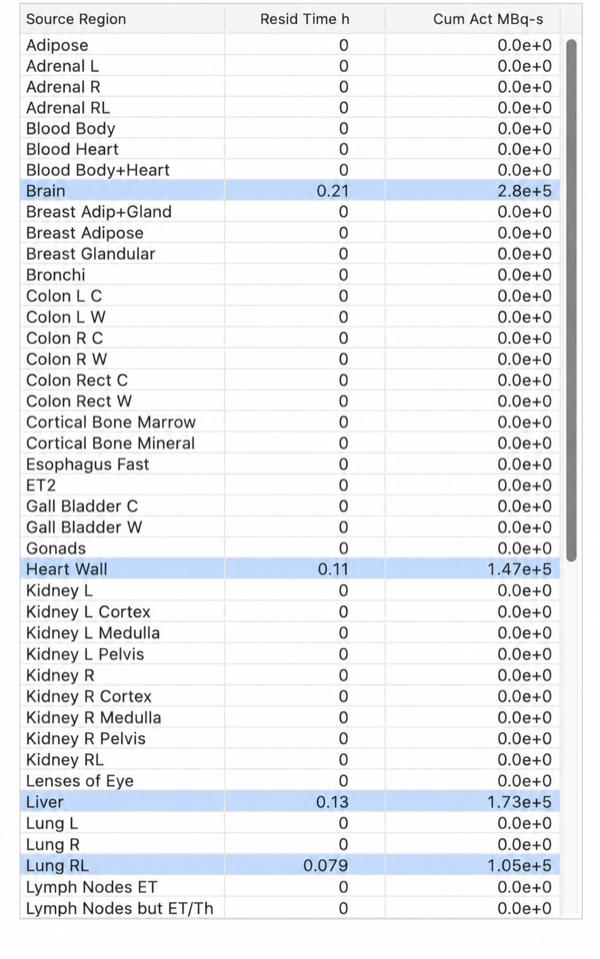
For radionuclide-based calculations, users enter residence time or cumulated activity manually. NCINM4 converts between them using:
cumulated activity (MBq-s) = administered activity (MBq) x residence time (h) x 3600
For radiopharmaceutical-based calculations, source-region residence times are loaded automatically after the radiopharmaceutical is selected. This pathway is available for NCI, ICRP voxel, and ICRP mesh phantom calculations.
For fetus phantom calculations, source regions are maternal organs. The fetus library includes 70 maternal source regions, including placenta and amniotic fluid, plus a remainder source. Enter the source-region residence times or cumulated activities manually.
Rows with non-zero residence time are shaded automatically. If the residence time is changed back to zero, the row returns to the default background.
For S-value export, select one or more source-region rows in this table. There is no separate S-value export column.
Remainder
The Remainder row represents activity outside the explicitly assigned source regions. NCINM excludes contents and overlapping source entries, then normalizes the remaining tissue-volume weights to sum to one. The ICRP mesh library currently uses ICRP voxel source volumes for this weighting.
For mesh remainder activity, the oesophagus uses whole-wall source
coefficients, while bronchial tissue uses the available Bronchi-f source as
an approximation. Detailed respiratory modelling and assessment of this
approximation's effect on dose remain future work; its effect has not yet been
quantified.
5. Target-Organ Dose Output
The target-region output table has column headers:
| Column | Purpose |
|---|---|
| Target Region | Target organ or tissue |
| Mass g | Target-organ mass in grams |
| Dose mGy | Absorbed dose in mGy |
| Dose/Act mGy/MBq | Absorbed dose per administered activity |
| MC uncert % | Monte Carlo uncertainty for ICRP mesh results |
The first column is labeled Target Region for NCI and ICRP phantoms. On the Fetus tab, it changes to Fetal Target Region.
For the ICRP mesh library, Mass g corresponds to the dosimetric target tissue represented by the active SAFs and S values. Consequently, stem- and basal-cell targets display the mass of the thin radiosensitive target layer, not the mass of the entire organ wall or a blood-inclusive organ mass. Heart W similarly displays the mesh heart-wall target mass. Active and shallow marrow retain their ICRP reference masses because skeletal SAFs are calculated using dose-response functions rather than division by one Monte Carlo target mass. The displayed mass is descriptive and is not used to rescale the S values or the calculated dose.
NCINM4 calculates dose from S values, administered activity, and source-region residence time. Effective dose is reported in the final row for NCI and ICRP voxel or mesh phantom calculations.
The MC uncert % column is populated for ICRP mesh calculations and left blank for the other phantom libraries. It reports calculation-library uncertainty and does not include uncertainty in administered activity, biokinetic data, or individual patient anatomy.
For fetus phantom calculations, the output table reports absorbed dose to fetal target organs using mother-to-fetus S values.
6. Export S Values
To export S values:
- Select one or more source-region rows in the source-region table.
- Click Export S Values.
- Save the generated CSV file.
The exported file contains S values in mGy/MBq-s for the selected source
regions and the currently selected phantom. For fetus phantoms, the exported
values are mother-to-fetus S values for the selected maternal source regions and
fetal target organs. The CSV columns are Source Region, Target Region, and
S Value (mGy/MBq-s).
7. Batch Manager
Batch Manager runs multiple NCI, ICRP voxel, or ICRP mesh
radiopharmaceutical dose calculations from a CSV input file. Use phantom
library 1 for NCI, 2 for ICRP voxel, or 4 for ICRP mesh.
Batch input accepts comma- or semicolon-delimited CSV files. Semicolon-delimited CSV is recommended when decimal commas are used. In a comma-delimited file, a value containing a decimal comma must be enclosed in double quotes. Saved Batch CSV output always uses comma delimiters and dot decimals for consistent reuse across regional settings.
When NCINM4 reads a radiopharmaceutical name from the batch CSV, it
automatically matches the submitted text to the closest library entry using
fuzzy matching. This allows clinical-style names and common radionuclide
notation variants such as F-18, 18F, Tc-99m, and 99mTc.
Batch Manager also matches the submitted patient age to the nearest available phantom age group. The output CSV includes resolved input values, radiopharmaceutical match information, and organ dose columns.
Fetus phantom calculations are not currently supported through the radiopharmaceutical Batch Manager because pregnancy-specific radiopharmaceutical biokinetic models are not currently defined. Newborn radiopharmaceutical rows return an explicit unavailable-data error rather than a zero-dose result.
The downloadable ncinmBatchInput.csv exercises library codes 1–4 with FDG.
It contains nine supported adult/child cases using libraries 1, 2, and 4, plus
one deliberately unsupported library-3 row named lib3_fetus_expected_error.
Expected output is nine successful calculations and one library-selection
error with blank dose cells. The library-3 row tests input validation; it does
not calculate a fetal dose.
8. Clear Tables
Click Clear Tables to reset administered activity to the default values, clear source-region residence times and cumulated activities, clear dose output, and refresh the phantom display.